How to Change Lifespan in Paralives
Your Paras lifespan can completely change how you play the game, making it faster or slower. You can easily change the lifespan you play with in Paralives with a simple menu!
Changing Lifespan on The Train
The first option you have for changing a lifespan happens on the train when you first start a new game. You’ll need to get to the end of the train, after you’ve created your Para where you see the three storytellers at the back of the train.
You’ll want to choose one of these storytellers but before you do you can choose the customize option when you click on them and a whole set of options will appear.
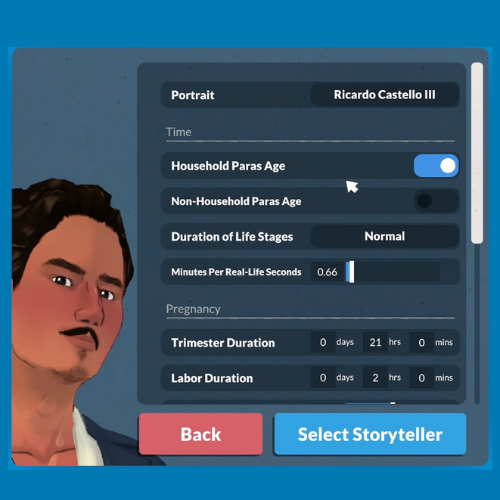
You’ll want to go to duration of life stages and click where it says normal. You’ll get to choose between short, normal and long in this menu.
Changing Lifespan in The Pause Menu
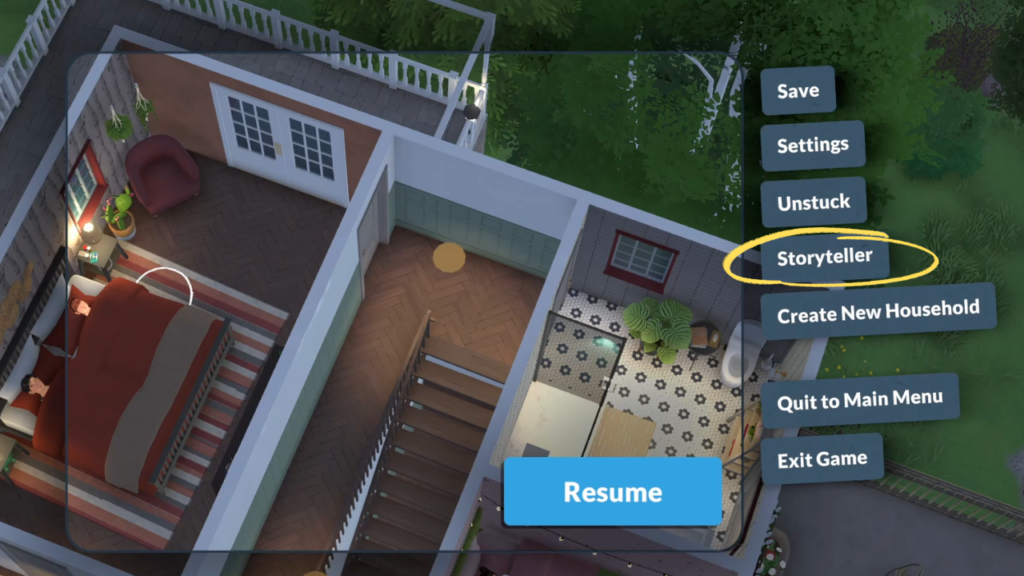
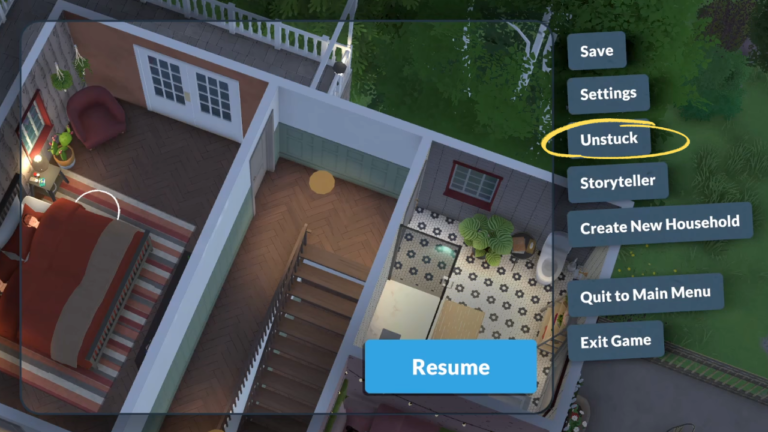
If you’re already playing but change your mind on how long your life span is, you can decide to switch it up by going into the pause menu. In this menu you’ll see the Storyteller option which is what you need to click on.
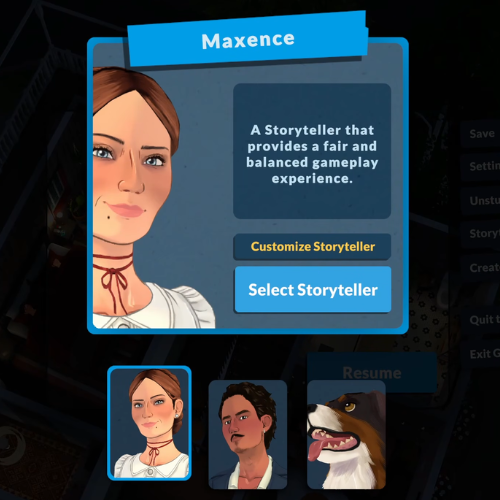
After clicking on that you’ll have the option to change your storyteller pop up. You’ll want to click on customize storyteller and this will bring up the same menu from the train where you can choose between short, normal and long for life spans.
Changing life span is so important to any player because everyone plays completely differently. Some players want to have chaos and quickness while others love a long lifespan to play slow. It’s all up to you and your Paras!